How do I turn an image into a link to another website?
I am creating a list of recommended resources and would like to be able use images/logos as links to external websites. How can I do this? Thanks in advance!
Dwight Gingrich
0
Accepted Solution
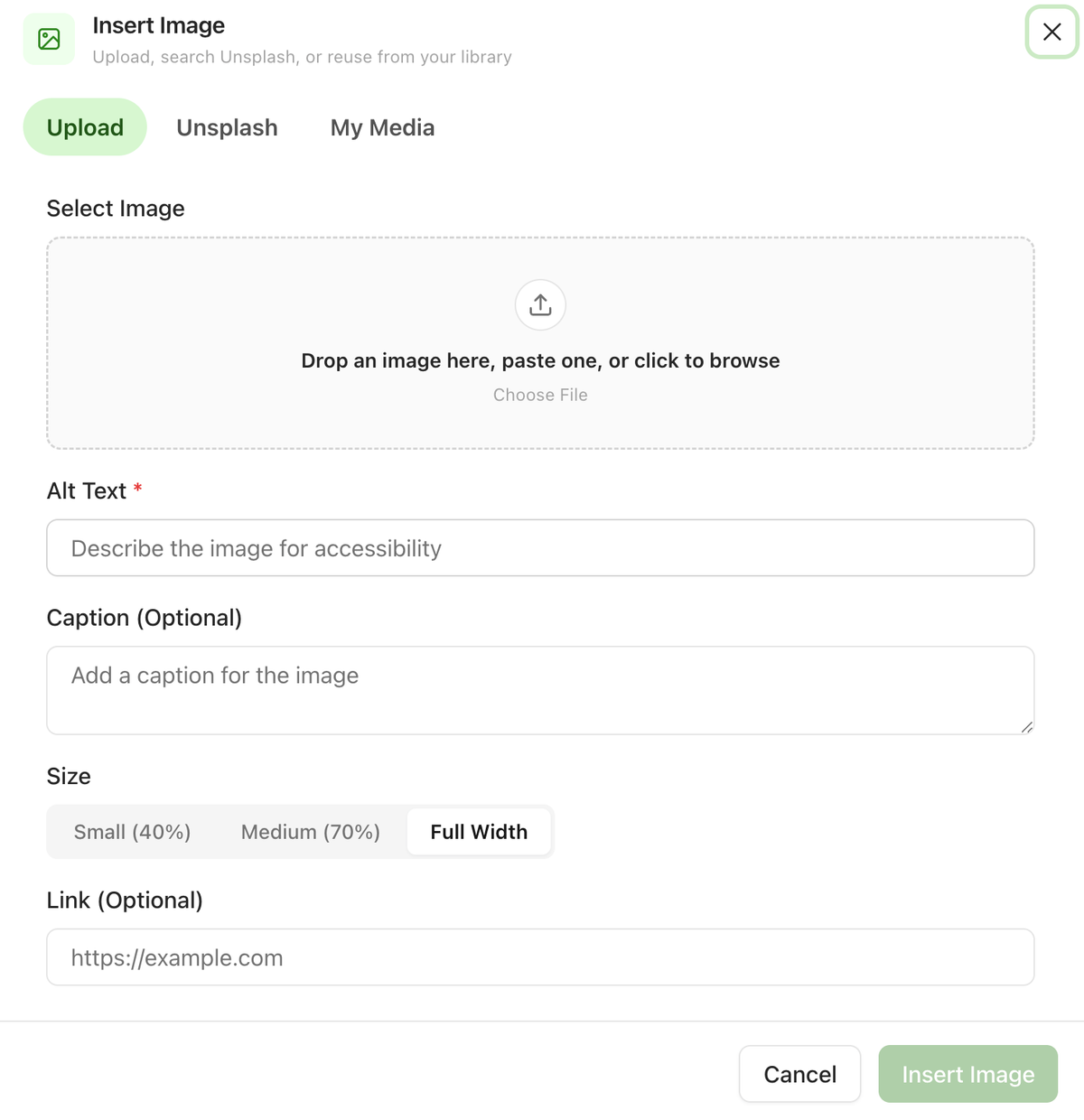
Thank you for your request, Dwight. I just Implemented this feature. Please log into dashboard after 30 minutes. Refresh it. When you insert an image, look at the bottom of the image dialog, just under Size, for a field labelled Link (Optional). Paste the address you want the logo to point to and insert the image. That's it, the logo is now clickable.
Sai Krishna answered
Superblog Team0
4 Answers
Thank you for your request, Dwight. I just Implemented this feature. Please log into dashboard after 30 minutes. Refresh it. When you insert an image, look at the bottom of the image dialog, just under Size, for a field labelled Link (Optional). Paste the address you want the logo to point to and insert the image. That's it, the logo is now clickable.
Sai Krishna answered
Superblog Team0
Thank you! I've waited 30 minutes, signed out, signed back in, and refreshed the page, but I still don't see the new Link option. I'll check again tomorrow. This will be very helpful!
Dwight Gingrich answered
0
Apologies, the deployment must have taken longer than anticipated. It is live now as seen in the screenshot attached
Sai Krishna answered
Superblog Team0
Excellent. Yes, it's working now. Thank you!
Dwight Gingrich answered
1
Login to post an answer
or continue with
By continuing, you are agreeing to our terms of service.