I can't deploy blog after migrating custom domain
I can't deploy the blog after migrating the custom domain, the button just decreases the number of deploys but won't publish my blog. This is how it looks
Camille Ravina
0
Accepted Solution
Hello again, problem already fixed by our tech person. Thanks
Camille Ravina answered
0
13 Answers
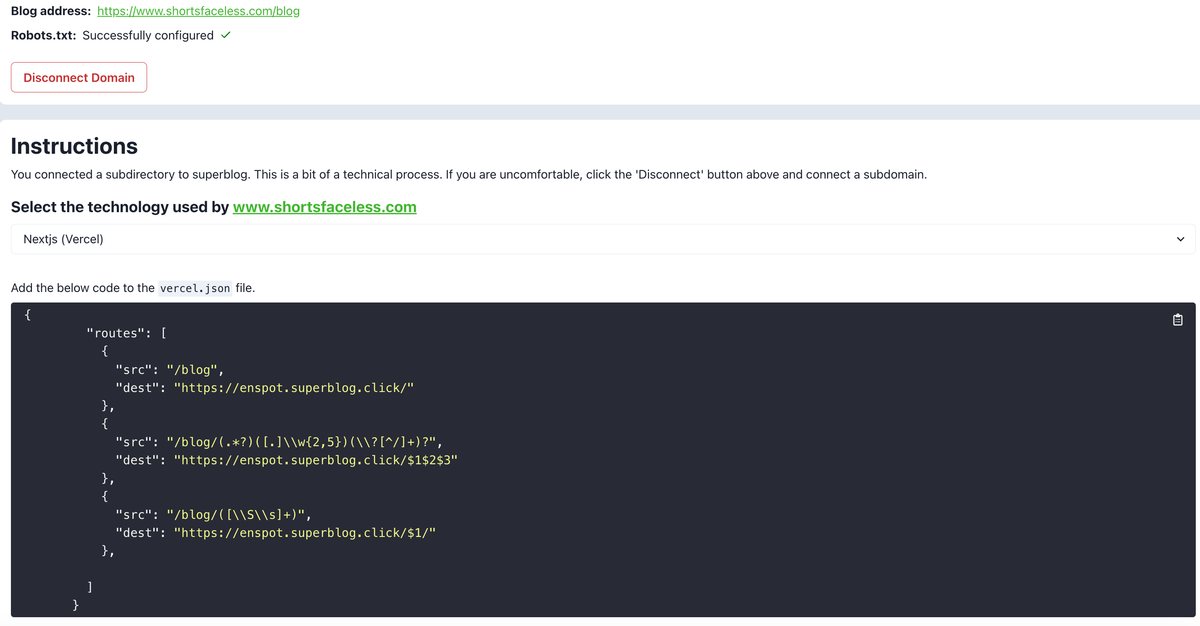
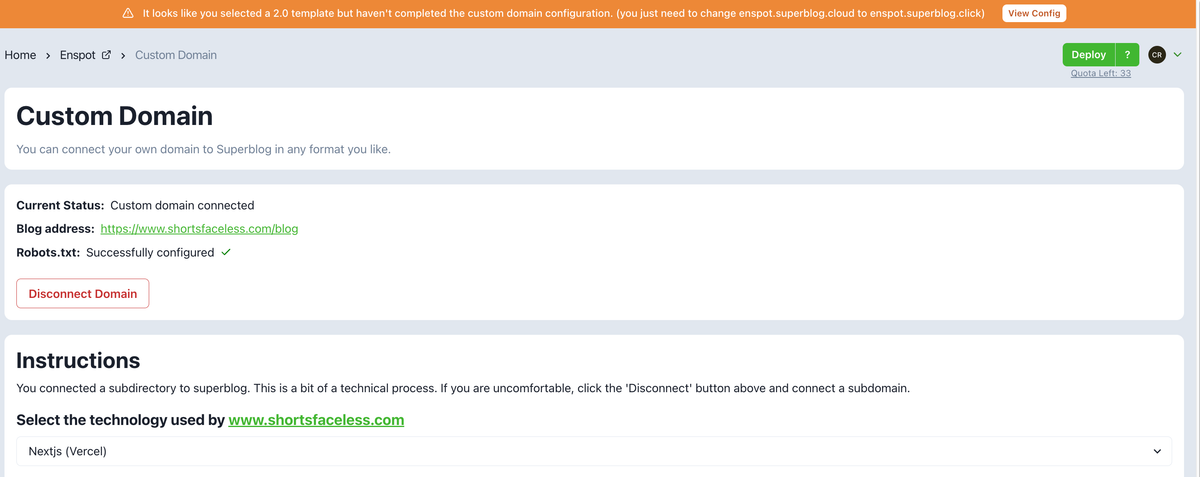
It looks like the custom domain config in your nextjs is still pointed to enspot.superblog.cloud. Kindly update it to enspot.superblog.click.
Sai Krishna answered
Superblog Team0
Hi, I already did that here's the attached photo
Camille Ravina answered
0
Can you share the screenshot of "vercel.json" of your nextjs project ? (only the lines relevant to /blog module) p.s: the one you shared above is of your superblog dashboard's instructions.
Sai Krishna answered
Superblog Team0
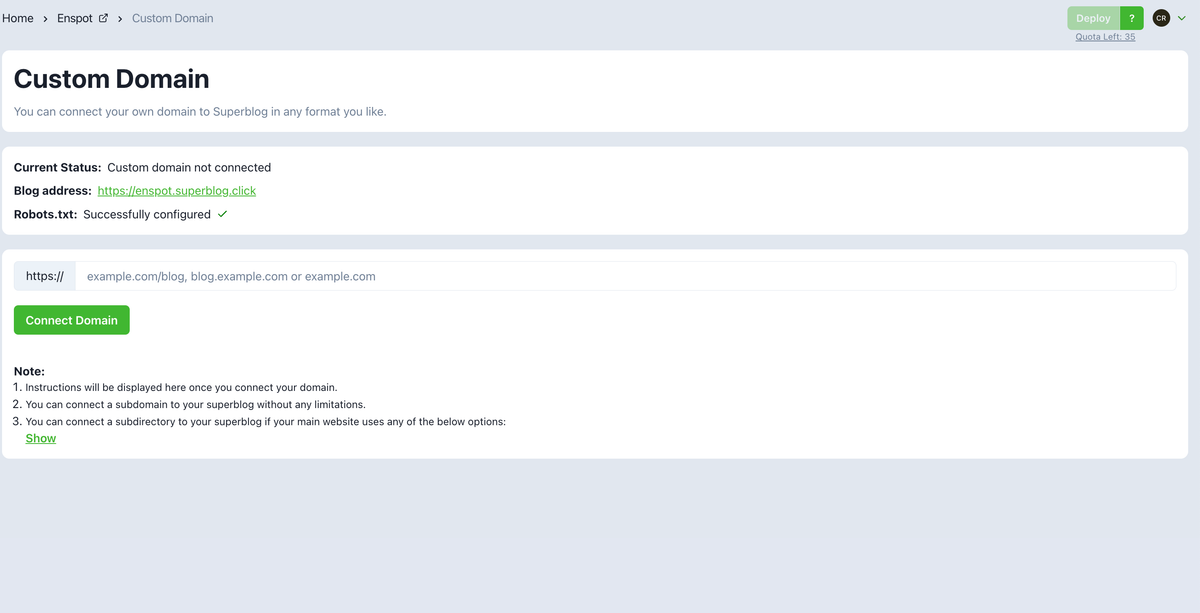
The problem is solved when I disconnect it from my subdomain, and the problem occurs again when I connect my subdomain. This is how it looks, the banner and all features are accessible when I don't have a subdomain connected vs when i have a subdomain
Camille Ravina answered
0
You have to make the changes to your vercel.json in your nextjs project's config file after connecting your custom domain subdirectory. (thats what you selected from the dropdown). Are you not able to understand this?
Sai Krishna answered
Superblog Team0
How to do this
Camille Ravina answered
0
The person who has access to the source code of your website will know this. Kindly, 1. Connect your custom domain in superblog dashboard. 2. From the dropdown, choose nextjs (appropriate stack). 3. Send the instructions shown in the superblog dashboard over to the person who manages your nextjs website.
Sai Krishna answered
Superblog Team0
Okay will tell them this. Thank you
Camille Ravina answered
0
is the instructions from the screenshot is the code?
Camille Ravina answered
0
Hello again, he mentioned that he already added
Camille Ravina answered
0
I still experience issues
Camille Ravina answered
0
For some reason it is still pointed to old address. Thats the reason old version is showing up. Can you send a meeting request to [email protected]? Along with your tech person. I can debug it live over a google meet call.
Sai Krishna answered
Superblog Team0
Hello again, problem already fixed by our tech person. Thanks
Camille Ravina answered
0
Login to post an answer
or continue with
By continuing, you are agreeing to our terms of service.