Lead Form/Floating component
We want to be able to add a floating lead form or component for booking a demo on the right side of our blogs, how do we do this? I see there is something for this in the advanced settings, but available on pro plan only. Can we please have an alternate way of doing this?
Angad Singh
0
Accepted Solution
1. Enabling 'Fixed' keeps the form fixed even when scrolling the page. (thanks for raising the issue, added a clearer explanation in the UI) 2. Intentional choice to make it stand out (even the width is more than all the remaining elements)
Sai Krishna answered
Superblog Team0
5 Answers
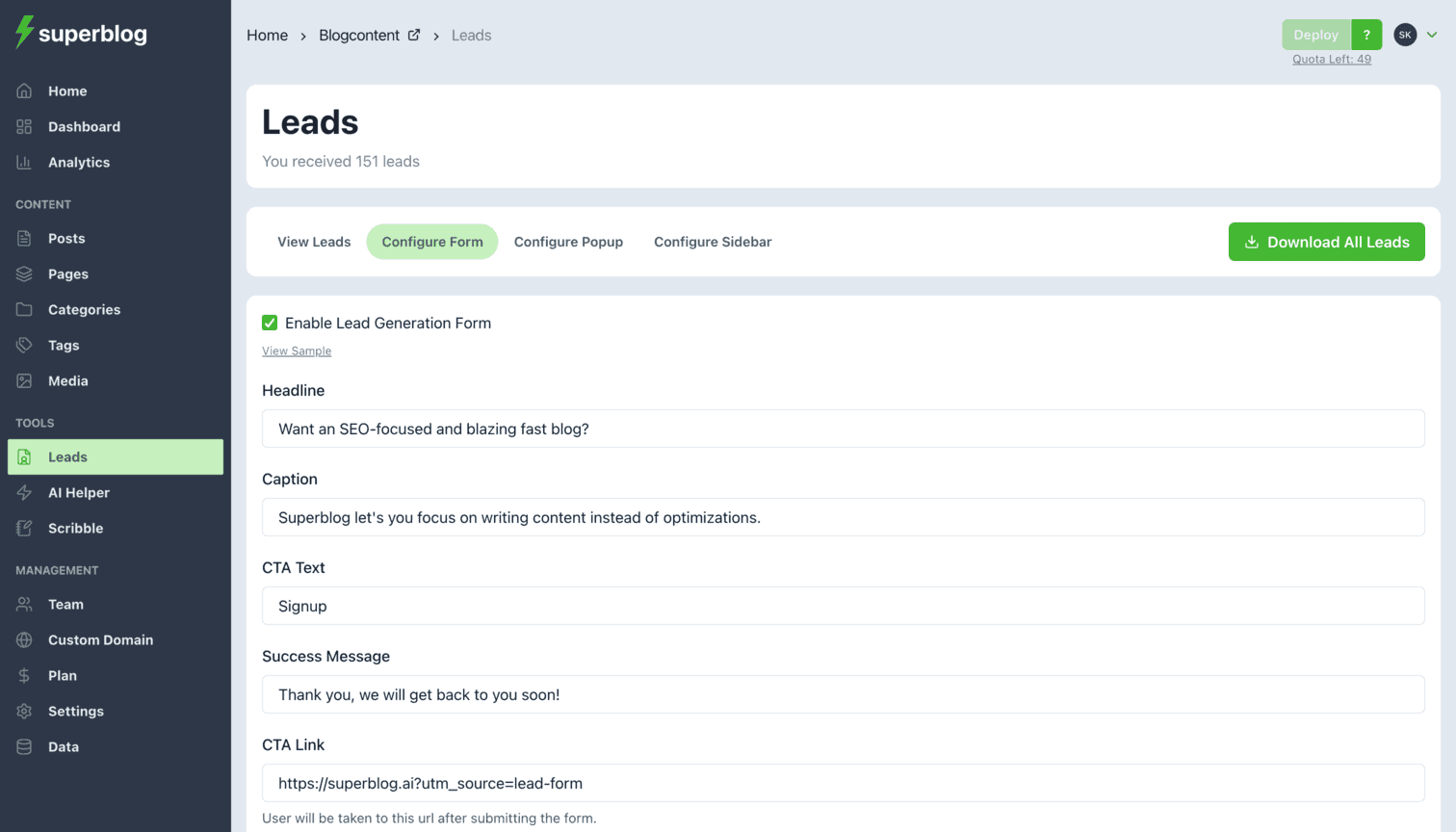
You can customize CTA/Leadgen form (below the post, rightside, popup) for each post from post editor > advanced settings. (available on SUPER plan only). You can however enable lead generation/cta for entire superblog (global level: below the post, rightside, popup) via Dashboard > Leads > Configure. (available on ALL plans)
Sai Krishna answered
Superblog Team0
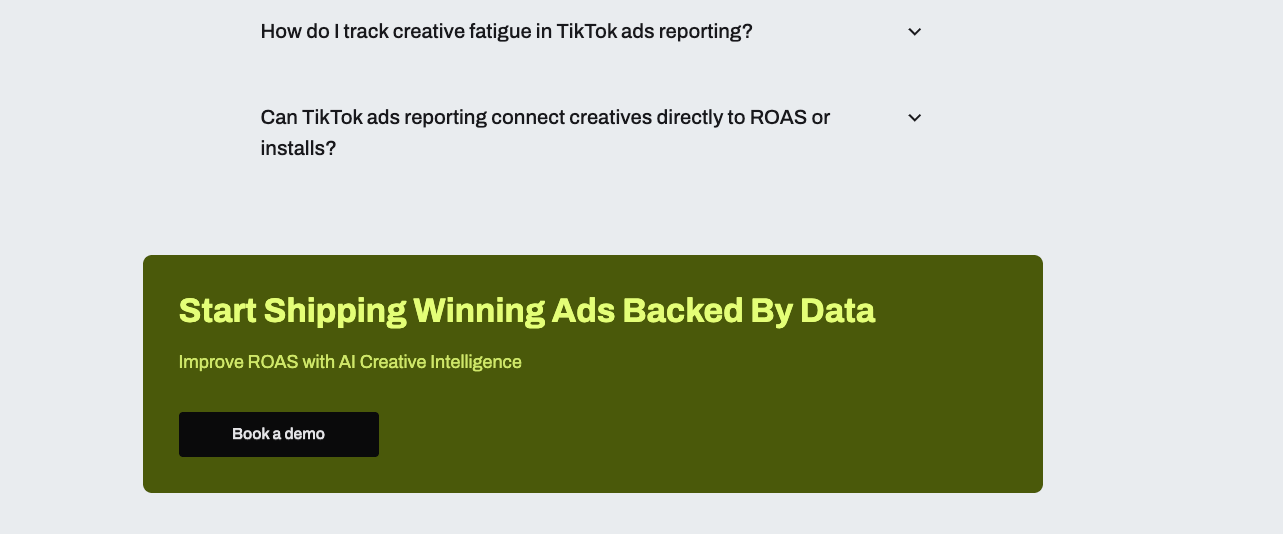
Okay awesome, thanks! It appears to be fixed even though we havent checked that option in the setup. Also the bottom lead gen CTA is left aligned, which looks off because everything else is centre aligned

Angad Singh answered
0
1. Enabling 'Fixed' keeps the form fixed even when scrolling the page. (thanks for raising the issue, added a clearer explanation in the UI) 2. Intentional choice to make it stand out (even the width is more than all the remaining elements)
Sai Krishna answered
Superblog Team0
Can we add an option for it to be floating and visible at all times on scroll?
Angad Singh answered
0
yeah thats what it does. check the box.
Sai Krishna answered
Superblog Team0
Login to post an answer
or continue with
By continuing, you are agreeing to our terms of service.