Not able to connect my domain (hostinger) with superblog
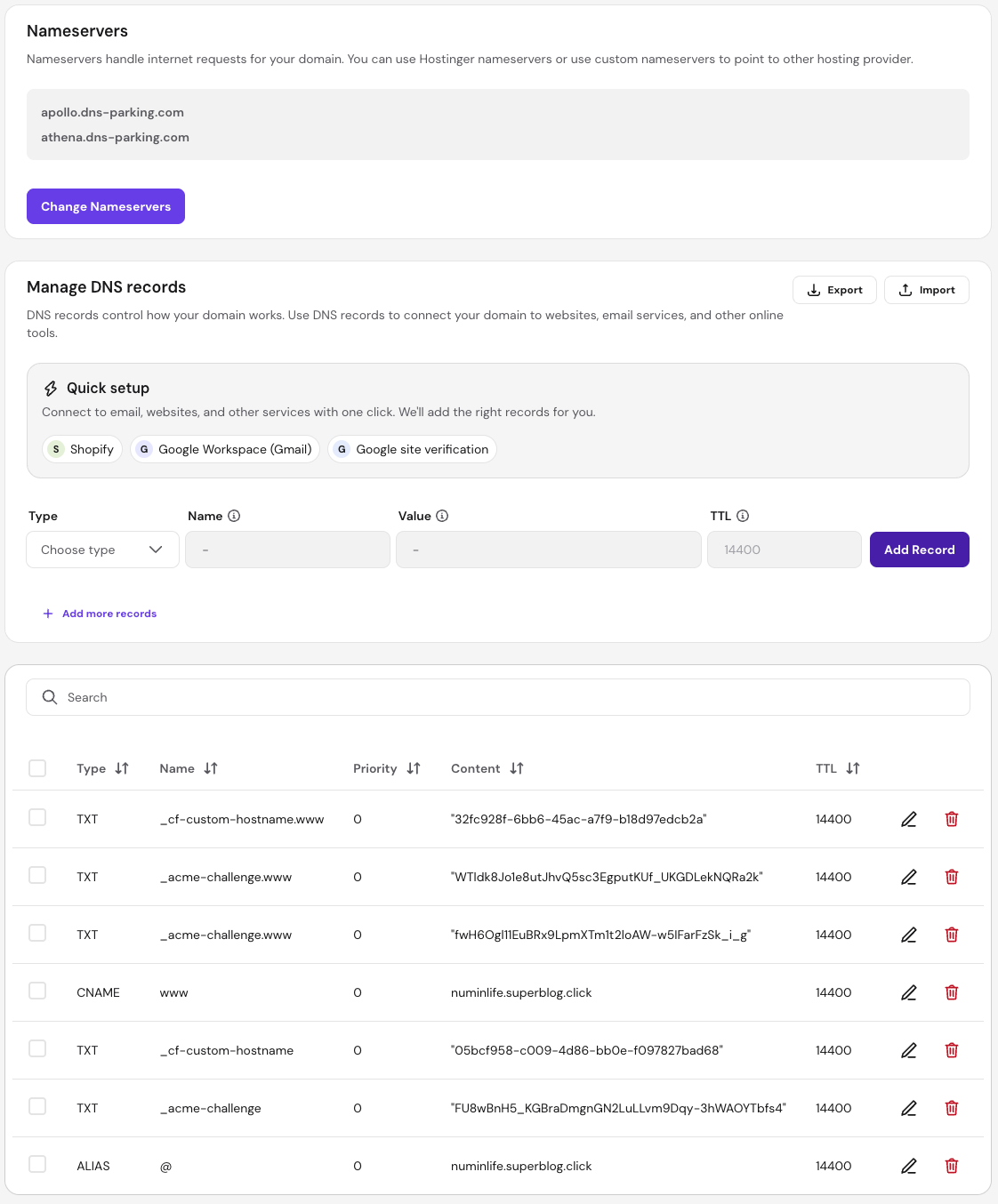
I've followed the instructions on the page and edited the DNS records on hostinger. Been well over an hour but every time i hit 'refresh status', it asks to ensure DNS is configured correctly. Attached a screenshot, please guide.
Numin
0
Accepted Solution
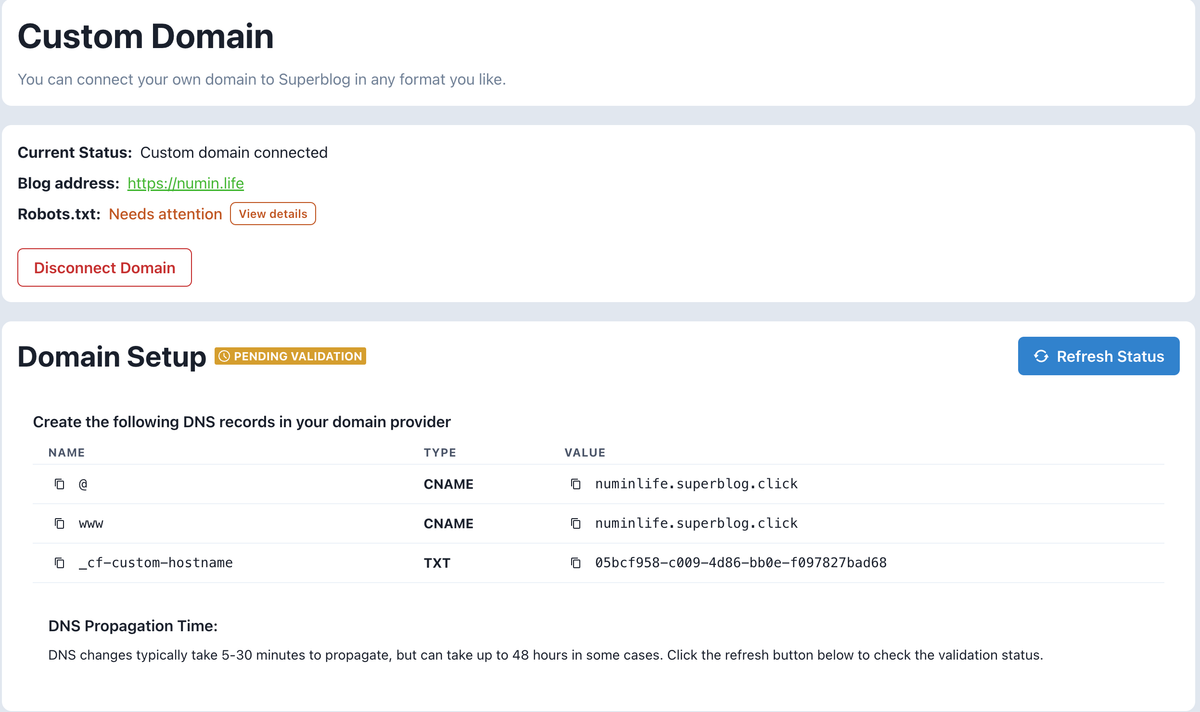
Hi, Unfortunately, your current method of adding an ALIAS record won't work. Only a few domain providers support using a CNAME record at the root. You can keep your domain with your current domain provider, but you can move your Nameservers to Cloudflare (Free plan). That way you can add the above shown records and connect your superblog. If this is not something that you would want to do, we are happy to provide a full refund. Apologies for the inconvenience Thank you
Sai Krishna answered
Superblog Team0
3 Answers
attaching screenshot from superblog as well
Numin answered
0
Hi, thanks for choosing Superblog. The DNS propagation is not in our hands. I would suggest we wait for a few more hours. If nothing happens after that, we can follow further steps.
Sai Krishna answered
Superblog Team1
Hi, Unfortunately, your current method of adding an ALIAS record won't work. Only a few domain providers support using a CNAME record at the root. You can keep your domain with your current domain provider, but you can move your Nameservers to Cloudflare (Free plan). That way you can add the above shown records and connect your superblog. If this is not something that you would want to do, we are happy to provide a full refund. Apologies for the inconvenience Thank you
Sai Krishna answered
Superblog Team0
Login to post an answer
or continue with
By continuing, you are agreeing to our terms of service.