Our website is hosted by lovable
Asked
i have created and moved the nameservers as per cloud flare and also created a worker , routes as per requirement still not working . It gives 404 error https://superblog-proxy.fromagent-ai.workers.dev/knowledge → Superblog loads ✅ https://www.interviewivy.com/knowledge → Lovable app HTML loads ❌ Response has Lovable header: x-deployment-id: .
Rahul Dhumale
0
8 Answers
Apologies for the inconvenience. Can you share screenshot of cloudflare workers route?
Sai Krishna answered
Superblog Team0
Sharing the cloudflare worker route
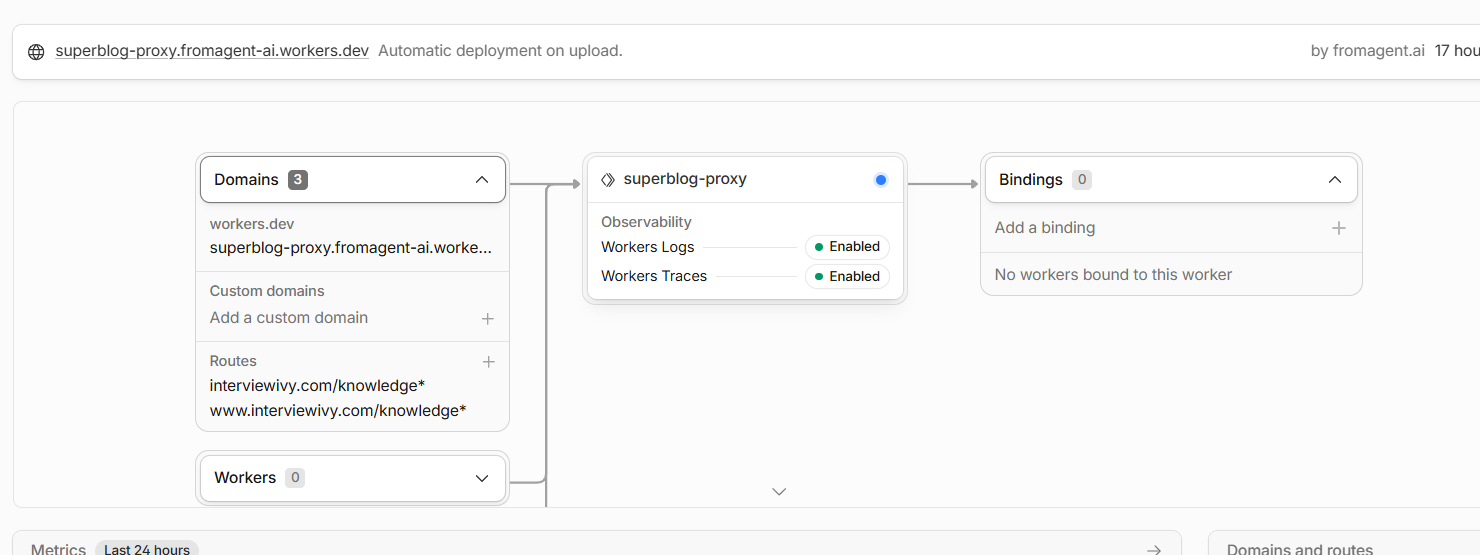
Rahul Dhumale answered
0
Routes configured and zones
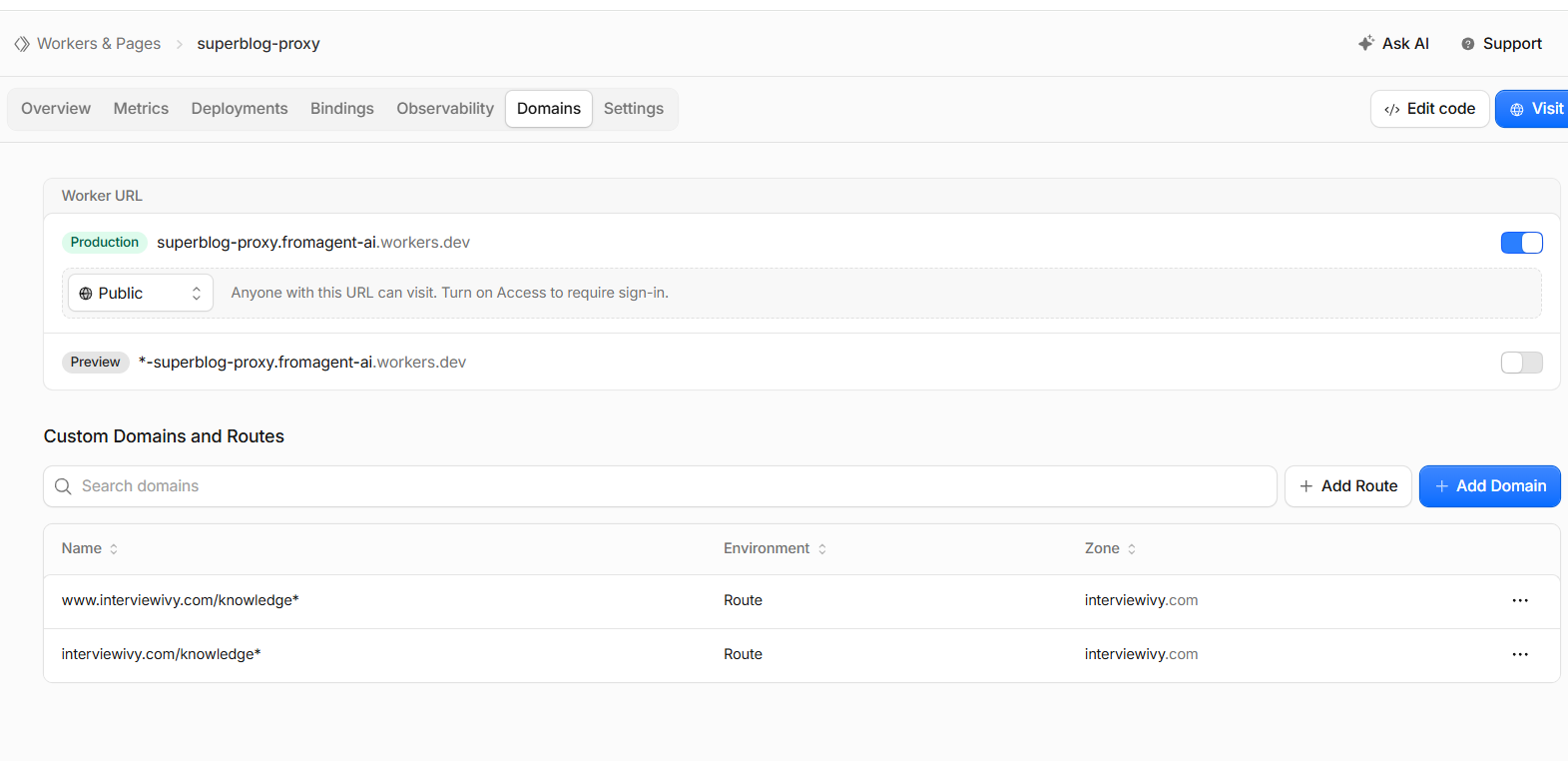
Rahul Dhumale answered
0
This looks correct. Can you confirm if orange cloud is turned on for DNS for @ and www records?
Sai Krishna answered
Superblog Team0
yes , Its proxied and its on
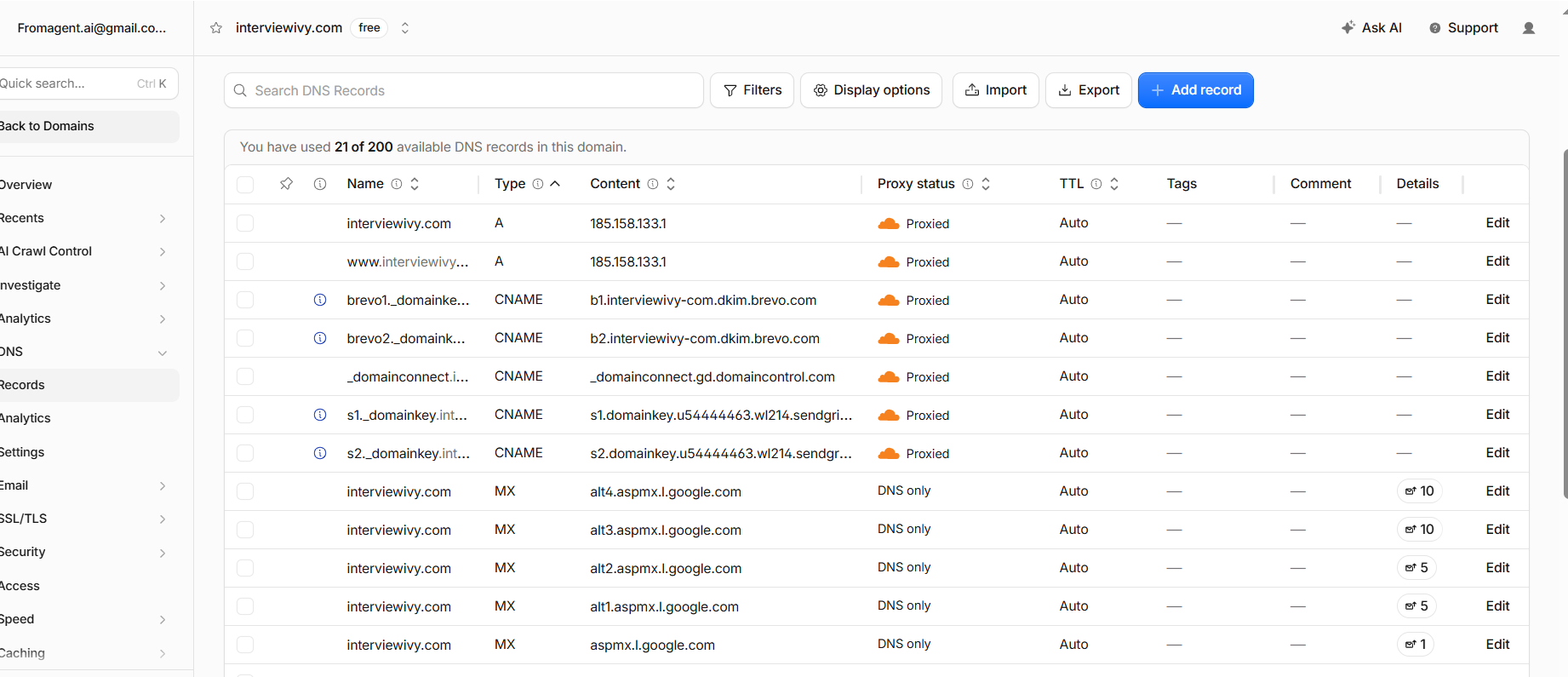
Rahul Dhumale answered
0
Thanks for your patience, Rahul. We dug into this deeply and found the root cause. Your setup is 100% correct. The nameservers, DNS records, worker, and routes are all configured exactly right. The problem is on a different level entirely: Lovable hosts custom domains on Cloudflare's own network (a product called "Cloudflare for SaaS"). When you connected interviewivy.com to Lovable, Lovable registered your domain inside Cloudflare's edge — and Cloudflare's rules give that registration priority over your own Cloudflare account's settings (docs: https://developers.cloudflare.com/ssl/reference/certificate-and-hostname-priority/#hostname-priority). In practice this means every request to www.interviewivy.com is handed to Lovable before your worker routes are even looked at. The workarounds that exist would all require taking the domain away from Lovable's hosting, and since your app has user sign-up/login, we don't recommend them because they can break authentication. **Our recommendation: host the blog on a subdomain instead, e.g. knowledge.interviewivy.com.** This takes about 10 minutes and doesn't touch your main app at all. If this isn't what you expected, apologies, happy to do a full refund.
Sai Krishna answered
Superblog Team0
yes , I can do that but this subdomain will this not affect our SEO / presence as lot of our blogs were already present on Interviewivy.com/knowledge It will be like we will starting afresh
Rahul Dhumale answered
0
there are two options: 1. you can keep existing posts on Interviewivy.com/knowledge (loveable). new posts on blog.Interviewivy.com. 2. you can move all posts to blog.Interviewivy.com and setup 301 redirects on loveable from old to new url.
Sai Krishna answered
Superblog Team0
Login to post an answer
or continue with
By continuing, you are agreeing to our terms of service.